Craft a Magical Holiday Scene with Your Christmas Village Shadow Box SVG
As the holiday season approaches, the quest for unique and heartfelt decorations begins. For crafters, artists, and anyone looking to add a personalized touch to their festive display, the Christmas Village Shadow Box SVG template offers a gateway to creating a stunning three-dimensional masterpiece. This layered template captures the cozy charm of a winter village, transforming flat cardstock into a captivating scene of depth and light. It’s more than just a decoration; it’s an invitation to immerse yourself in a creative project that results in a piece you’ll cherish for years to come.
What is a Christmas Village Shadow Box?
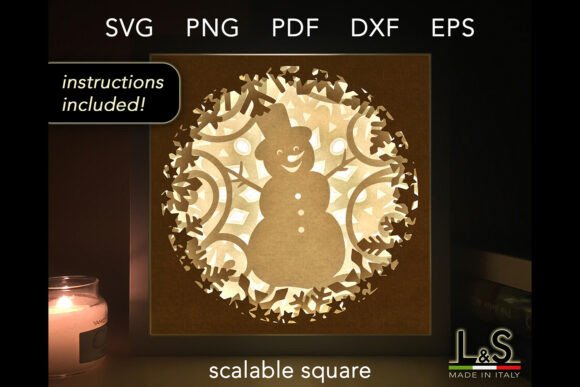
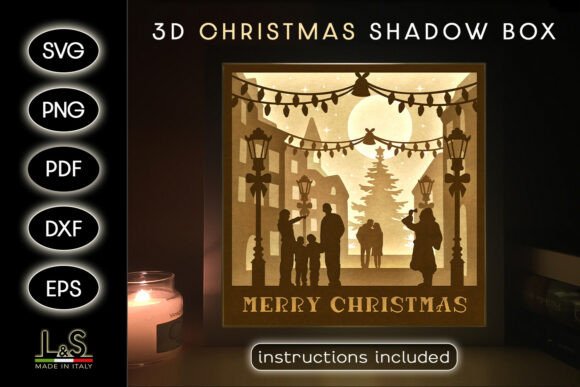
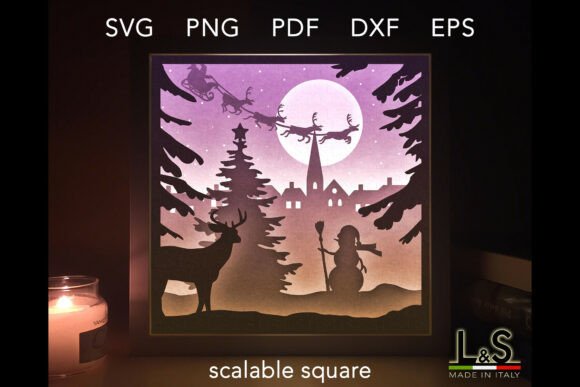
Imagine a tiny, frozen-in-time snapshot of a perfect holiday evening. A shadow box is a deep-frame display that uses layered elements to create a three-dimensional diorama. This particular Christmas Village Shadow Box SVG provides the digital blueprint for that scene. The template consists of four distinct layers—each a detailed silhouette of cottages, trees, church spires, and snowy landscapes. When assembled with spacing between each layer, the effect is a breathtaking sense of depth, making the village appear to recede into a winter’s night. Designed primarily for use with light boxes, the cut-out layers allow light to shine through, illuminating windows and outlines to create a warm, glowing tableau.
Unpacking the Creative Potential of Your Template
While the design is optimized for light, the included files are a springboard for unlimited creativity. The core recommendation is to use white or neutral cardstock for a classic, luminous effect when backlit. However, as the instructions joyfully remind us, creativity has no limits. Why not experiment with colorful cardstock for a vibrant, daytime village scene? Or perhaps scale down the layers to craft an extraordinary and unique Christmas card that will stand out in any mailbox. The template’s versatility is its greatest strength.
A Toolkit for Every Crafter
The digital package is thoughtfully compiled to accommodate every skill level and tool preference. Upon purchase, you receive a single ZIP file containing:
- 6 SVG files: These vector files are compatible with most cutting machines like Cricut, Silhouette, Brother, CNC lasers, and others.
- 4 PDF files: Perfect for those who prefer to print the designs and meticulously cut them by hand.
- 4 PNG files: High-resolution (300 dpi) images with transparent backgrounds, suitable for printing or software that uses image files.
- 1 DXF file: For use with Silhouette Studio's Basic Edition.
- 1 EPS file: For advanced editing in vector software like Adobe Illustrator or Inkscape.
- PDF instructions: A clear guide with a detailed supplies list and assembly steps.
This comprehensive suite ensures that whether you’re a tech-savvy maker with a laser cutter or a traditionalist with a craft knife, you have the right format to begin.
Who Benefits from This Christmas Village Shadow Box SVG?
The appeal of this project spans a wide audience. Home decor enthusiasts can create a centerpiece that rivals store-bought displays. Professional crafters and small business owners can use the template to produce unique items for their holiday collections. Teachers and group leaders might find it a wonderful, structured project for a workshop. Importantly, it is also exceptionally welcoming to beginners. The assembly tutorial is designed to guide you through putting together your 3D Christmas shadow box in just a few minutes. The process of layering and spacing is straightforward, making a complex-looking result surprisingly achievable.
Real-World Applications and Scenarios
Consider a family looking for a new tradition. Assembling the Christmas Village Shadow Box SVG together becomes a collaborative holiday activity. In a retail setting, a boutique might display a series of these boxes, each made with different colored papers, to showcase handmade goods. An office could use it as a warm, communal decoration in a shared space. For the solo creator, it might be a peaceful winter evening project, resulting in a gift for a loved one that carries the extra value of personal effort and care.
Evaluating the Project: Strengths and Practical Considerations
The template’s clear strengths are its multi-format support, detailed yet beginner-friendly design, and its open invitation to creative experimentation. The final size of 8×8 inches (20×20 cm) is substantial enough to be a focal point yet manageable for assembly and display.
When considering suitability for your project, think about your tools and goals. If you intend to use it with a light box, ensure you have one of a compatible size or plan to build a simple LED backdrop. The recommendation for white cardstock is a proven path to the classic glowing effect, but don’t let that limit your vision. The only true requirement is a willingness to follow the layered logic. The cutting itself can be the most time-consuming part if done by hand, so assess your comfort and tools—the ready-to-cut machine files significantly streamline this step.
Guiding Your Creative Journey
To successfully create your next masterpiece with this layered Christmas village shadow box template, start by reviewing the supplies list. You will need your chosen cardstock, a cutting method (machine or hand tools), adhesive (like double-sided tape or glue dots for spacing), and a frame or box to house the finished scene. The layered assembly is intuitive: the front layer is the closest village elements, with subsequent layers adding background depth. Following the spacing instructions is key to achieving that magical 3D illusion.
Ultimately, this Christmas Village Shadow Box SVG is not merely a product; it’s a creative partner. It provides the structure and precision of a professional design while leaving all the artistic choices—color, scale, application, and lighting—in your hands. It empowers you to move from imagining a cozy holiday village to actually holding one, crafted by you, ready to light up your home and holiday spirit.