Illuminate Your Celebration: Crafting a Stunning Diwali Light Shadow Box
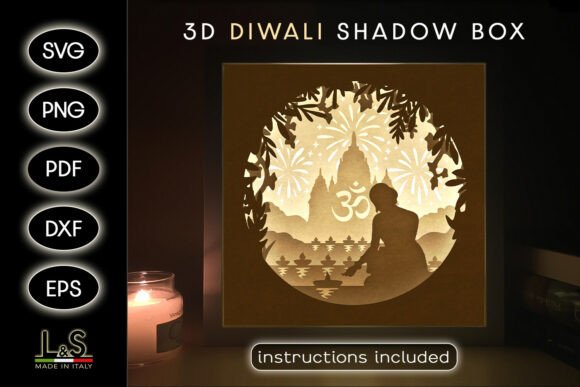
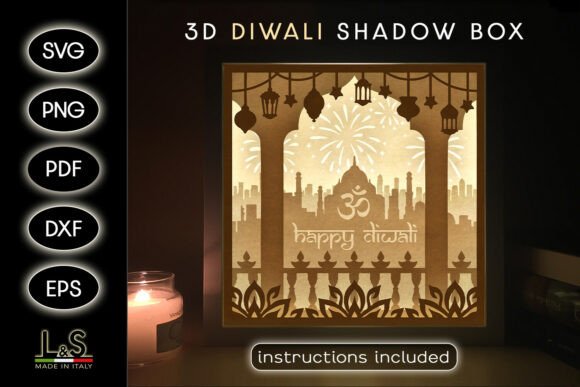
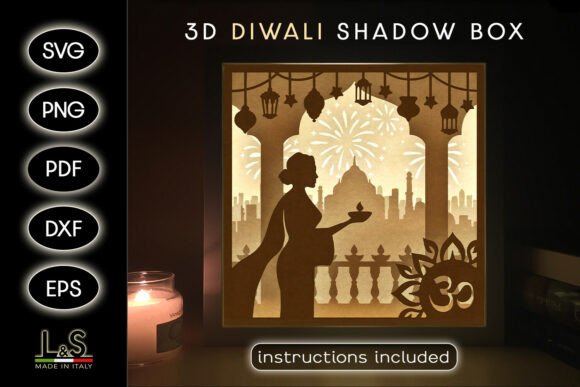
As the festival of lights approaches, the quest for unique and meaningful decorations begins. Enter the Diwali Light Shadow Box Svg File, a digital template that transforms a simple concept into a breathtaking 3D art piece. This isn't just another decoration; it's a layered story of Diwali, depicting a woman holding a candle, ready to be brought to life through your craft. For creators, hobbyists, and entrepreneurs, it offers a perfect blend of cultural symbolism and modern crafting technology, allowing you to produce a professional-quality decoration that carries personal significance.
Overlooked Details That Dim Your Results
A common misunderstanding is treating the SVG file as a simple image. These vector files are intelligent blueprints for cutting machines, containing precise paths for each of the five layers. If you open it in a regular photo editor, you'll see only a flat image, missing the critical layered data. This leads to frustration when trying to send it to a cutter. Always use compatible software like Silhouette Studio, Cricut Design Space, or a vector program like Adobe Illustrator to access the true functionality.
Another frequent oversight is material choice. The template recommends white cardstock for light boxes because its translucency allows the LED illumination to shine through evenly, creating that magical glow. Using a standard, thick colored cardstock without considering opacity can completely block the light, leaving you with a dark shadow box. If you wish to experiment with colorful stock, a better approach is to test a small piece with your light source first or opt for lighter, pastel shades that permit some light transmission.
Navigating File Formats: Choosing the Right Path
The included ZIP contains multiple file types, which can be confusing. A mistake is downloading the ZIP and immediately hunting for the "picture" to print. The PNG and PDF files are indeed for printing, but the real power for machine cutting lies in the SVG, DXF, and EPS files. Beginners often try to use the PNG with a Cricut, which the machine will treat as a simple print-and-cut image, not allowing the intricate layered cutting of the 8x8-inch (20x20 cm) design. For machine cutting, start with the SVG. If you own a Silhouette and use the Basic Edition software, remember it doesn't support SVG; that's why the separate DXF file is provided. Using the wrong format wastes time and material.
Assembly: The Pitfall of Skipping the Guide
Even with perfectly cut layers, assembly can trip up crafters. The most common error is assuming the order of layers is intuitive. The five layers build upon each other to create depth, and placing them incorrectly can make the scene look disjointed or the woman's figure misaligned. The provided PDF instructions are not just a list of supplies; they contain the assembly sequence. Following the simple tutorial ensures your 3D Diwali shadow box comes together in minutes, not hours. Gluing the deepest background layer first is crucial; starting with the foreground figure will ruin the entire perspective.
Creative Applications Beyond the Light Box
The template's description encourages creativity beyond the light box, but a narrow focus can limit your project. Many stop at the illuminated box, missing opportunities like creating a unique Diwali card. Using colorful cardstock and omitting the light panel, you can assemble the shadow box as a stunning, stand-alone greeting card. Another better approach is for small business owners or educators: using the PNG files to print multiples on high-quality paper for a classroom activity or a low-cost, high-value product line. The key is to view the template as a modular kit, not a single-use item.
Machine Compatibility and Cutting Calibration
A practical warning involves machine settings. The files are designed for Cricut, Silhouette, Brother, CNC laser, and others, but "compatible" doesn't mean "auto-configured." A mistake that affects quality and cost is not performing a test cut. Different machines and even different brands of cardstock require slight adjustments to cut pressure and blade depth. Cutting the intricate designs with a dull blade or incorrect setting can tear the paper, especially around the delicate candle flame details. Always run a small test on a scrap piece of your chosen material using the same intricate details from one layer. This saves you from ruining your full sheet and ensures crisp lines.
What to Check Before You Begin Your Project
Before making a decision or starting your download, a few checks set you up for success. First, assess your primary goal: is it for a light box, a card, or another decoration? This determines which file format you'll use most. Second, verify your software and machine capabilities. Do you have a vector program or cutting software that can handle SVG? Third, confirm your material inventory. Do you have the recommended white cardstock, a suitable adhesive, and, if making a light box, the LED light panel? Gathering supplies beforehand creates a smooth crafting experience.
Finally, consider the scale. The size is 8x8 inches, a perfect desktop decoration. However, if you wish to enlarge or reduce it, you must do so within your vector or cutting software before cutting. Scaling a printed PDF will result in loss of detail and misalignment. By taking these preparatory steps, you move from a hopeful downloader to a confident creator, ready to produce a Diwali decoration that truly illuminates your skill and celebration.